
Configuration - Magento
On this page Configuring DockRay in Magento
Configuring DockRay in Magento
The DockRay module for Magento lets you monitor application errors and check installed components for vulnerabilities. To get started, configure the connection to your project, specify the environment, and adjust the scope of reported data.
You can find the settings in the Magento admin panel under Stores → Configuration → DockRay → Monitoring. Integration status and reports are available under DockRay → Overview.
Project Connection and Credentials
To connect Magento to DockRay, enter your project token and private key in the Connection section. The key is stored in encrypted form. If the key field contains dots, this indicates that the saved key is retained. You do not need to enter it again unless you want to change it.
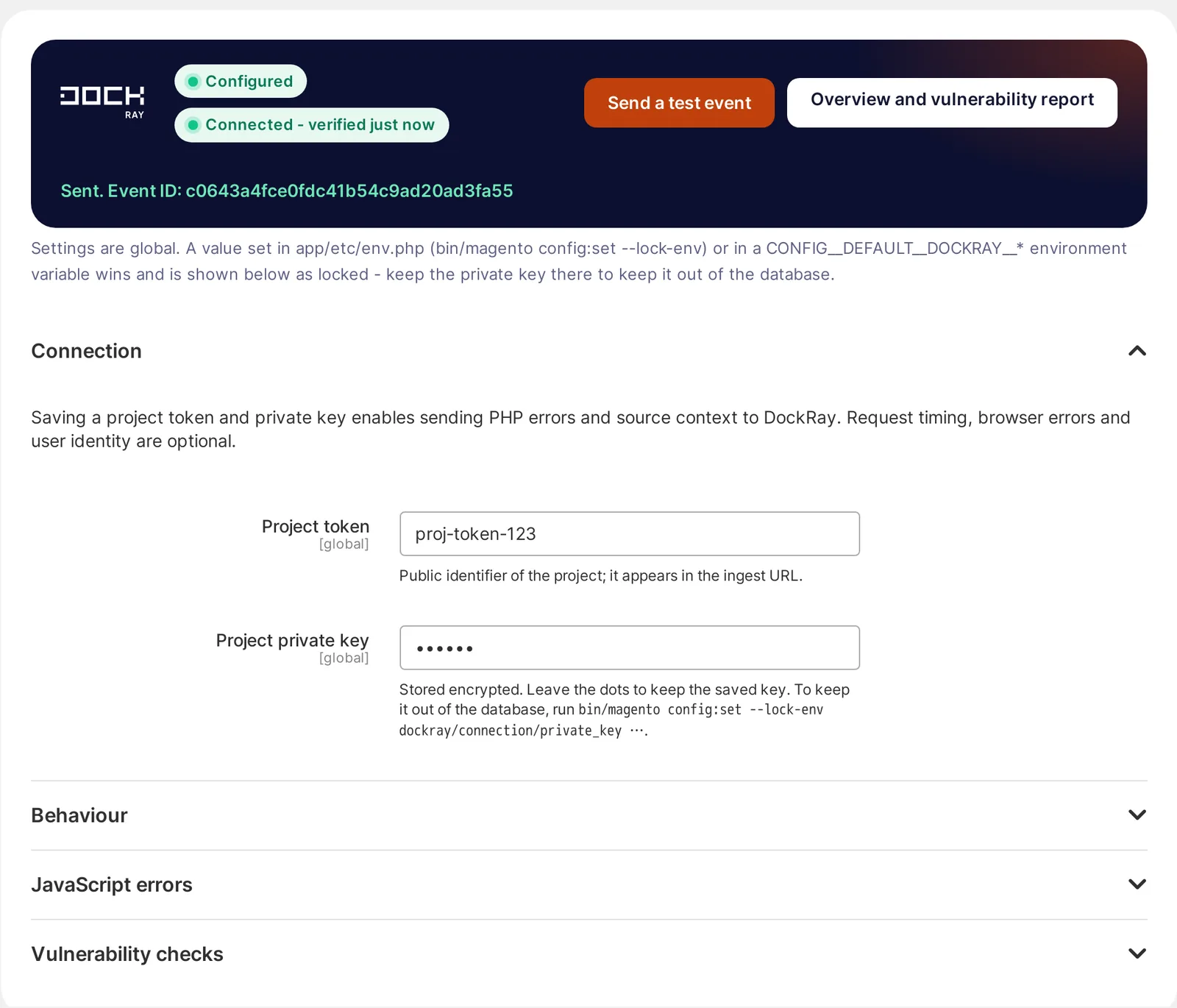
If you want to store the key outside the Magento database, you can set it in the app/etc/env.php file using the following command:
bin/magento config:set --lock-env dockray/connection/private_key ...
Alternatively, use the CONFIG__DEFAULT__DOCKRAY__CONNECTION__PRIVATE_KEY environment variable. The value from env.php or the environment variable takes precedence over the value saved in the admin panel.
Configuring Magento Environments
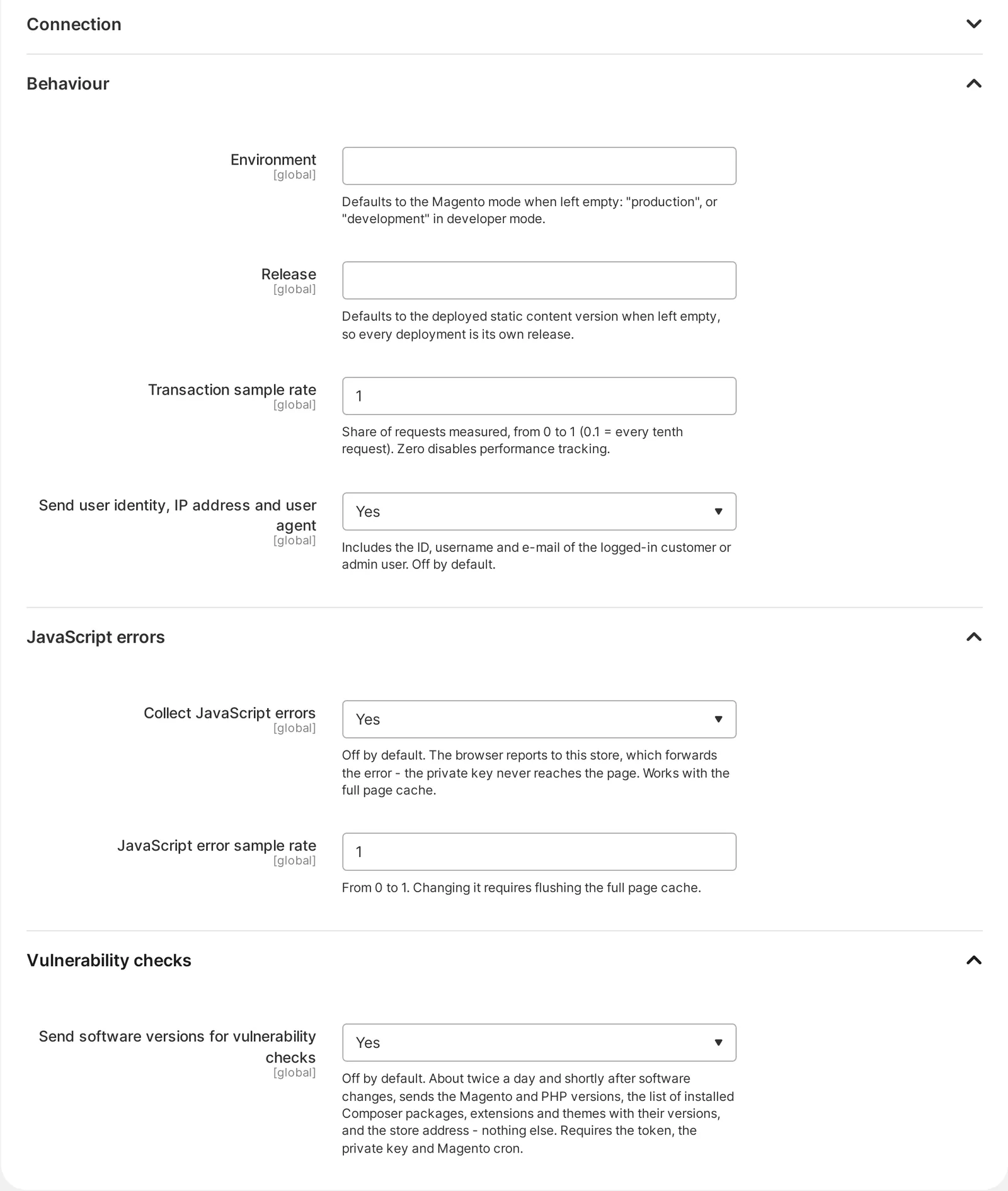
Each environment should send reports to DockRay under a unique name, such as production for the live store and staging for the test environment. This makes it easier to distinguish errors and vulnerability reports from different installations.
It is good practice to use separate private keys for production and staging. This allows you to revoke access independently for each environment. Keep reporting disabled for local installations unless you are intentionally testing the DockRay integration.
Error Reporting and Monitoring Scope
Configure reporting so that DockRay primarily receives errors that require your team's attention. Reducing unnecessary events makes issues easier to investigate and helps ensure that alerts and monthly usage better reflect the actual state of your Magento store.
Do not send events that are a normal part of application behavior. These include handled validation exceptions, 404 errors generated by automated scanners or invalid URLs, and events deliberately triggered by automated tests and monitoring tasks.
Magento Vulnerability Monitoring
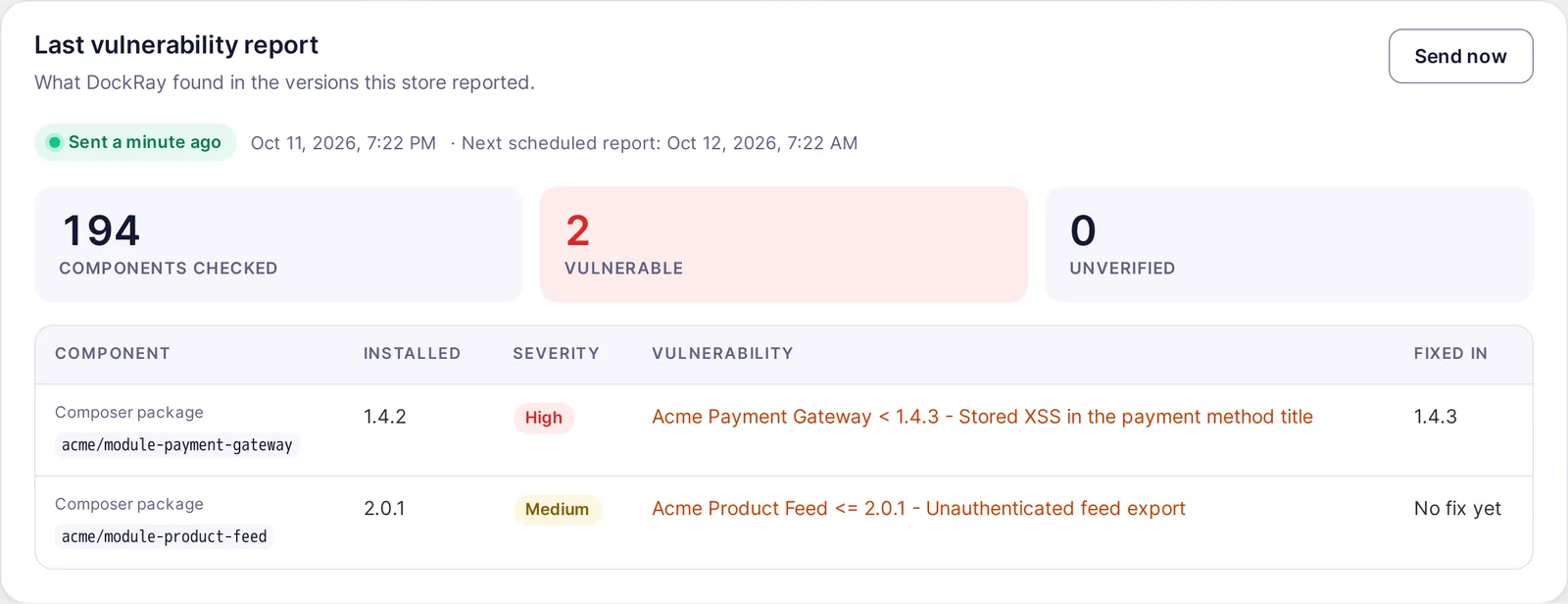
DockRay can check installed components for known vulnerabilities and display the results in a security report. Once you enable Vulnerability checks, you can see how many components were analyzed, which ones are vulnerable, and whether a patched version is available.
You can find the report in the DockRay → Overview section, under Last vulnerability report. Pay attention to the severity level and the version in which the vulnerability was fixed. If an update is available, plan its deployment according to your store's update and testing procedures.
How to Store Your Private Key Securely
Treat your DockRay private key as a confidential access credential. Store it in your server configuration, a secrets manager, or your platform's private settings. Do not include it in your code repository, logs, screenshots, or code sent to the browser.
If you suspect that the key has been exposed, revoke it immediately and generate a new one. Then update the configuration for the relevant environment to maintain a secure connection between Magento and DockRay.