
Know about an outage before your customers do
DockRay monitors applications, online stores, and websites 24/7. It tracks production errors, monitors uptime, checks SSL certificates, and keeps an eye on performance.
- Free plan, no expiry
- No credit card, no trial
Integrations available in DockRay
Connect monitoring with your team channels, Jira, AI tools, company email, and authentication system
 Notifications
Slack
Receive outage, SSL, and error alerts in the right Slack channel, configured by project and event type.
See how it works
Notifications
Slack
Receive outage, SSL, and error alerts in the right Slack channel, configured by project and event type.
See how it works
 Notifications
Mattermost
Send clear alerts with context and a direct DockRay event link to the team responsible for the response.
See how it works
Notifications
Mattermost
Send clear alerts with context and a direct DockRay event link to the team responsible for the response.
See how it works
 Notifications
Discord
Route outages, errors, and SSL warnings to the right Discord channels as clear, actionable cards.
See how it works
Notifications
Discord
Route outages, errors, and SSL warnings to the right Discord channels as clear, actionable cards.
See how it works
 Issue workflow
Jira Cloud
Create Bug issues from an error, assign the right person, and synchronize resolution with Jira Cloud.
See how it works
Issue workflow
Jira Cloud
Create Bug issues from an error, assign the right person, and synchronize resolution with Jira Cloud.
See how it works
 Issue workflow
Notion
Create pages in a Notion database straight from an error and close it once the team moves the page to the Complete group.
See how it works
Issue workflow
Notion
Create pages in a Notion database straight from an error and close it once the team moves the page to the Complete group.
See how it works
 AI automation
MCP
Let AI tools safely analyze errors and perform DockRay tasks within explicitly granted permissions.
See how it works
AI automation
MCP
Let AI tools safely analyze errors and perform DockRay tasks within explicitly granted permissions.
See how it works
 Email
Custom SMTP
Send operational alerts and reports through your company SMTP server with account-level isolation.
See how it works
Email
Custom SMTP
Send operational alerts and reports through your company SMTP server with account-level isolation.
See how it works
 Sign-in
Google, GitHub, and Facebook
Let users sign in securely with Google, GitHub, or Facebook without managing another password.
See how it works
Sign-in
Google, GitHub, and Facebook
Let users sign in securely with Google, GitHub, or Facebook without managing another password.
See how it works
 Identity
Enterprise SSO
Sign employees in through your OpenID Connect provider while retaining control over organization access.
See how it works
Identity
Enterprise SSO
Sign employees in through your OpenID Connect provider while retaining control over organization access.
See how it works
Reliable production starts with good monitoring
Errors, uptime, SSL, and performance in one clear dashboard. Get an instant overview of your application's health and the information you need, exactly when you need it.
Production errors
You know what broke, where, and why. Errors are grouped and presented with the context you need to quickly identify the root cause.
Read more: Production errorsUptime Monitoring
Know when your application stops responding. Get alerted when it becomes unavailable or its response time increases significantly.
Read more: Uptime MonitoringSSL Certificate Monitoring
Your SSL certificate never expires unnoticed. Get notified well in advance when its expiration date is approaching.
Read more: SSL Certificate MonitoringPerformance Monitoring
See how your website's performance changes over time. PageSpeed scores and Core Web Vitals show how changes affect speed and overall performance.
Read more: Performance MonitoringSmart Alerts
Get alerted when something unusual happens. The system detects sudden deviations from your typical error rate and reduces unnecessary notifications.
Read more: Smart AlertsProjects and Team
Monitoring stays organized even when the whole team is involved. Projects, clients, applications, and permissions are kept separate in one place.
Read more: Projects and TeamYou know which plugin in your store has a known vulnerability
DockRay plugins for WordPress, PrestaShop, and Joomla report the versions of the core, PHP, and installed plugins, themes, and modules. We compare them against a database of known vulnerabilities and alert you before a flaw can be exploited.
-
Full list of software Core, plugins, themes, and modules with versioning - refreshed every 12 hours and after every update.
-
Alert only for confirmed hits A notification is sent when the installed version falls within the range specified by the source. Ambiguous matches appear in the panel, not the inbox.
-
Database updated hourly WordPress, PrestaShop, Joomla, Drupal, Magento, as well as Composer and npm packages.
Three Steps to Your First Alert
No sales call, no complicated setup, and completely free. Connect your application, choose what you want to monitor, and get back to work.
-
Create a Project
Create an account and add the application, store, or website you want to monitor.
-
Connect Your Application
Use a ready-made integration or send errors directly through the REST API.
-
Enable Monitoring
Choose uptime, SSL, performance, and notifications.
curl -X POST "https://dockray.io/api/v1/PROJECT_TOKEN/project" \
-H "Authorization: Bearer PROJECT_PRIVATE_KEY" \
-H "Content-Type: application/json" \
-d '{
  "exception": {
    "values": [{
      "type": "RuntimeException",
      "value": "Something went wrong"
    }]
  }
}'Free Integrations for Your Application
Don't change the way you build your applications. Add monitoring to what already works. Ready-made integrations are free on every plan. If you don't see your technology, you can use the REST API.
 WordPress
WordPress and WooCommerce Plugin
Explore integration PrestaShop
Module for PrestaShop 1.7.8+, 8.x, and 9.x
Explore integration Joomla
Plugin for Joomla 4, 5, and 6
Explore integration Drupal
Module for Drupal 10.2+ and 11
Explore integration Magento
Module for Magento 2.4 and Adobe Commerce
Explore integration Laravel
Package for Laravel 10+
Explore integration Symfony
Bundle for Symfony 6.4+
Explore integration PHP
PHP
Library for PHP Applications
Explore integrationLow-Level Integrations
In addition to ready-made integrations for CMSs and frameworks, you can connect the system directly to your application using PHP, Python, or Node.js.
\Dock\Ray\init([
    'token' => 'PROJECT_TOKEN',
    'private_key' => 'PROJECT_PRIVATE_KEY',
]);

try {
    $order->settle();
} catch (\Throwable $exception) {
    \Dock\Ray\captureException($exception);
}from dockray import DockRayClient
client = DockRayClient(
token="PROJECT_TOKEN",
private_key="PROJECT_PRIVATE_KEY",
)
try:
settle(order)
except Exception as error:
await client.capture_exception(error)import { DockRayClient } from '@dockcodes/dockray';
const thor = new DockRayClient({
token: 'PROJECT_TOKEN',
privateKey: 'PROJECT_PRIVATE_KEY',
});
try {
await settle(order);
} catch (error) {
await dockray.captureException(error);
}curl -X POST "https://dockray.io/api/v1/PROJECT_TOKEN/project" \
-H "Authorization: Bearer PROJECT_PRIVATE_KEY" \
-H "Content-Type: application/json" \
-d '{
"exception": {
"values": [{
"type": "RuntimeException",
"value": "Something went wrong"
}]
}
}'Pricing that scales with your project
The Free Plan is not a trial. Grow your project and upgrade when you actually need it.
Free Plan
Everything you need to monitor two applications: error tracking, uptime and SSL certificate monitoring, and email notifications.
- Projects 2
- Recorded errors 1,000
- Scan frequency once a day
- Scenarios 1
- Data retention 30 days
- Scenario runs 150
- MCP integration Enabled
No card and no expiry date. This plan keeps working even if you never buy anything on top.
Have questions?
Have questions before getting started? Below you’ll find answers to the most important questions about monitoring applications, websites, and online stores.
1 What can I monitor?
2 Do I need a ready-made integration for my technology?
3 Can I monitor multiple websites and applications?
4 How quickly will I know about a problem?
5 What happens when I reach the limit?
6 Is the Free Plan available indefinitely?
7 Where is my data stored?
8 Can I use monitoring for my clients' projects?
9 Can I integrate my own application using the API?
10 How can I connect DockRay to AI?
From Our Workshop
About monitoring, errors, performance, and what’s really happening in production.

What Should You Monitor on a Website and Application? A Practical Checklist from Uptime to Errors and Performance
Uptime is just the beginning. Errors, SSL, response time, and performance reveal much more about your website's health. See what to monitor to detect problems earlier.
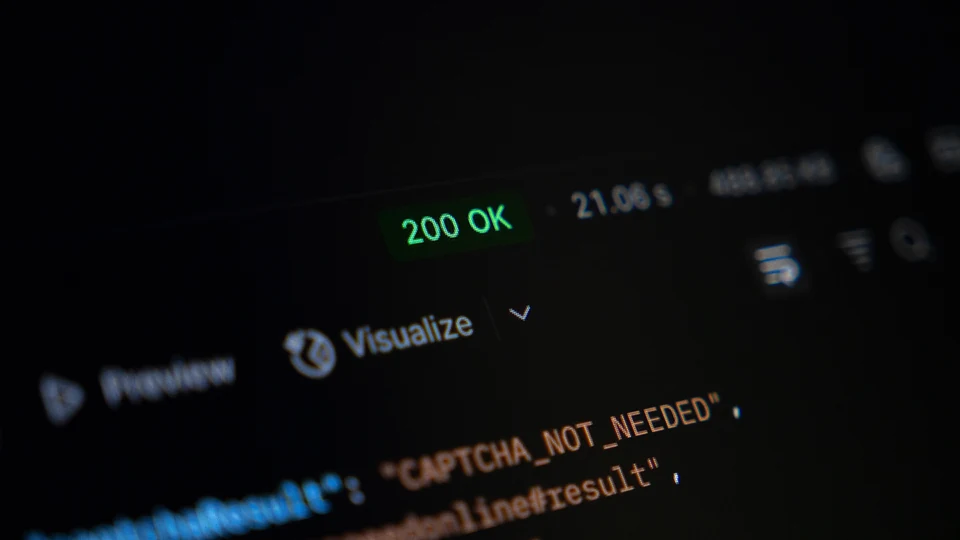
HTTP 200 Doesn't Mean Your Application Is Working. What Should Monitoring Really Check?
HTTP 200 doesn't always mean everything is working. Your store may not accept orders, login may fail, and your API may be too slow. Learn why uptime monitoring alone isn't enough.
Why Fixed Alert Thresholds Don’t Work for Error Monitoring
The same error threshold can represent a normal day for a large online store and a serious outage for a small application. That’s why effective alerts should take each project’s typical error rate into account.
Start Monitoring
Connect your first application and get full visibility into what’s happening in production.